No… we’re still living in the same house in Waarder.
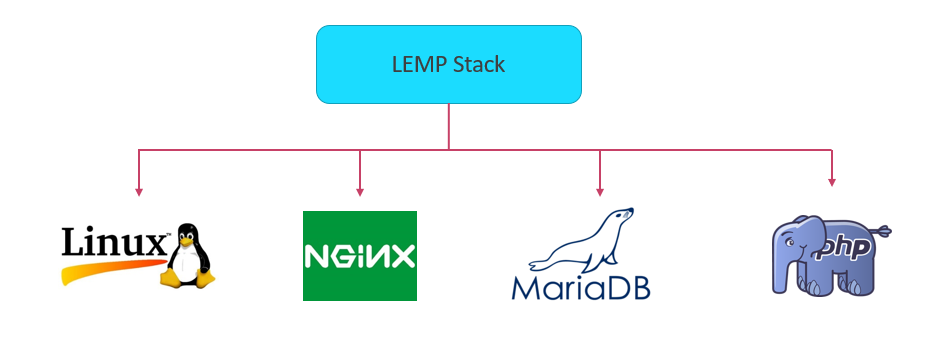
But this blog entry (and the entire history) is no longer served up by a hosted WordPress site, but by a brand-new Ubuntu 24.04 virtual hosted server with a LEMP stack… installed and configured by yours truly!
As a result, it’s a lot faster. And a lot more secure.
And a lot more affordable too.
But how we got there was… interesting.
So, here’s what made that happen — and that would also explain why you didn’t hear from me for months.
The Waarder Village Team that I’ve been made chairman of needed a proper web site. The initial idea was to use a hosted WordPress instance like the one I had, create one subdomain under it, and thus create a village portal containing all the information that would be of use to the villagers, and a subdomain and separate WordPress instance for the village team itself.
Unfortunately, while my hosting provider happily let me create a second WordPress instance on my own site, they had revamped their WordPress hosting to no longer allow that.
They wanted me to buy two hosted WordPress sites, and a regular domain for each one. This would have exceeded the budget, so there was no choice left but to buy a virtual private server, and host everything on that. And since buying a Windows VPS would exceed the budget as well, that reduced my options to one: a Linux VPS.
That’s when it got personal.
Seeing how I am also a dyed-in-the-wool NetWare/VMS/Windows sysadmin, I thought to myself “how hard can it be?”
Keep that phrase in mind as you read along…
Blockåndøs
If you’ve been raised on operating systems that are designed by a team, offer a stable ecosystem, and behave relatively consistent, Linux is… quite a surprise. Sometimes in the same way as a kick in the nuts is quite a surprise.
In comparison to the ecosystem of, say OpenVMS, getting Linux to work properly resembles assembling a piece of furniture from a very large furniture retail chain originating from Sweden. Except the components come from a number of separate suppliers, each using their own conventions, writing their own manuals, and sometimes being blissfully oblivious of (and generally unconcerned about) each others existence.

During my quest, I would find out that, if you select the blocks carefully, it is indeed possible to build a solid system, that outperforms the Big Tech OS’s at a fraction of the cost. But make one mistake, and the plot, she thickens.
My first (and biggest) mistake was selecting Plesk as an administration front end. Plesk may seem harmless, but it (or at least the generation of Plesk that I was using) has a way of forcing its choices on you that require you for forget anything you thought you knew about Postfix. Or DoveCot. Or crypto, or spam filtering.
It started when I decided to use Rspamd rather than SpamAssassin, the (adequate, but fairly antique) default choice of Plesk.
I configured Rspamd according to the documentation — and then my entire mail stack exploded in my face.
And what I had read about Rspamd made me refuse to believe this was actually Rspamd’s fault.
It turned out that Plesk tells you it’s using Postfix — and while it might be using Postfix, it wasn’t the instance of Postfix that our Ubuntu installation came with. I could change the main.cf in /etc/postfix/ until my eyes would bleed, but to no avail.
It also seems to break the network stack, or at least the instance of Wireguard that I installed to allow me to manage the system remotely, while not allowing Port 22 over the public interface.
In fact, it’s done that twice now. My suspicion is that Plesk somehow breaks the cipher, but only after a couple weeks or so. I have since found out that the host at Contabo that runs this blog and my wife’s blog, as well as a test host at Strato, do not exhibit this behaviour. The common denominator: Plesk has never been allowed near those hosts.
Long story short, I was in a world of pain. Exactly the world of pain that the dyed-in-the-wool Linux aficionado had expected me to be in. I can hear them chuckle as we speak.
At some point, it became apparent that this particular host will never be dependably stable. After breaking WireGuard twice, I decided to configure it so that it would keep on running, albeit with compromised security (no Wireguard management tunnel), and in the meantime to start prototyping a new host: a plain Ubuntu 24.04 setup. I had read up a bit about Apache and nginx and WordPress, and this led me to choose to use nginx as a web server. Migrating my wife’s and my blog to that new machine would be a nice way to see if that machine would be less brittle.
While I was doing that, my original hosting provider’s IPv6 configuration broke. The village VPS (that’s the Plesk machine) was no longer reachable over IPv6. The route to our IPv6 address (on the hypervisor level, so that’s ouside my reach) was pointing to an internal system. As a result, I had to disable IPv6 on that host and raise a ticket with them.
And then they told me — repeatedly — that I had to enable IPv6 (rendering the site unreachable to IPv6 users!) to enable them to troubleshoot it, but they wouldn’t tell me when they’d have the opportunity to do so.
Last time I raised a ticket with them, it took them a full week to even start working on it, and no, I was definitely not going to make the village server invisible for IPv6 users for a week, so I said, fine, just reset your hypervisor’s IPv6 route.
This time, it took a week as well — and when they did that, it worked again. They just didn’t bother to let me know.
SiteMonitor
That’s when it got even more personal.
So I now have a cobbled-together-on-a-hot-Saturday-afternoon monitoring system running, which consists of a bash script curling the sites every five minutes, writing the results to a log file, and alerting me via email when either IPv4 or IPv6 is down. I also cobbled up a PHP script that processes the log results, and, with the help of chart.js (I know… nobody promised me I’d keep my hands clean) displays a graph that shows how the site performs, including daily medians.
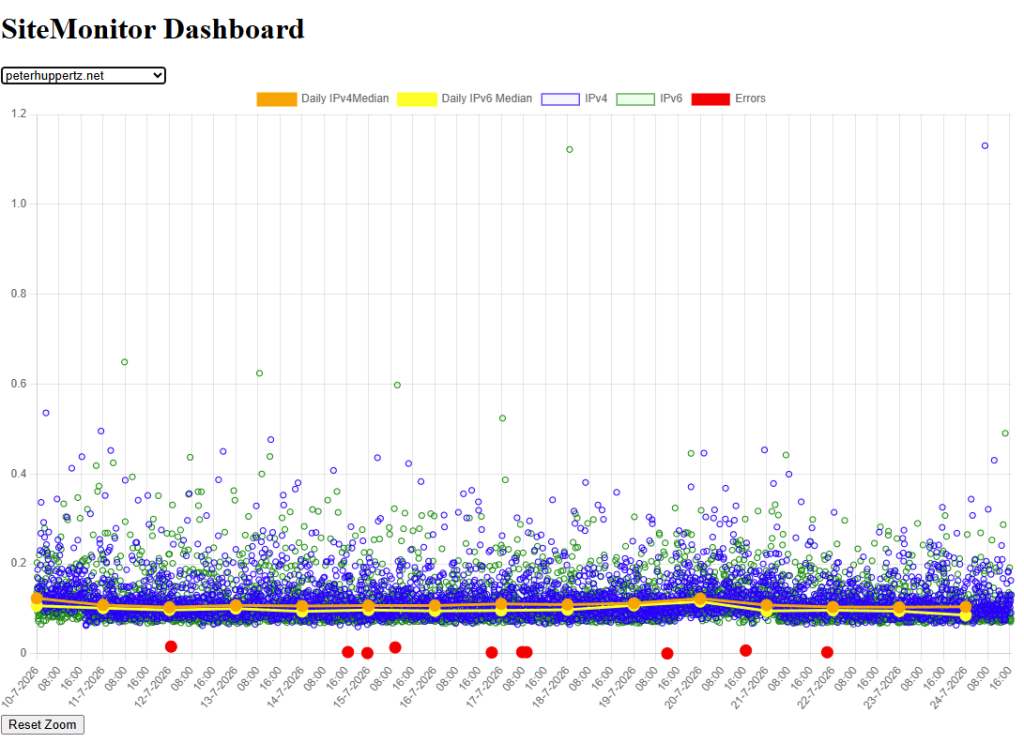
So at least now I know when something’s wrong — or when it’s fixed — and I can see if the site’s performance is developing over time.
If any of my former colleagues at ITRS-Uptrends reads this: I know this isn’t even allowed to touch the ground that Uptrends walked upon ten years ago. But it’s been thrown together in two weeks, in a language I did not master when I started, it’s fairly bug-free, and it fits my needs.
But if you need a proper, professional site availability monitoring solution rather than something that the cat brought in, ITRS-Uptrends is the place to go. My crappy pile isn’t even allowed in the universe where they are class-leading. So there.
Anyway — back to the prototype system.
I also wanted to use a sql database for the mail user administration. My successor at the village team might not be looking forward to administer a mail system by editing the passwd file and messing about with mail directories. I had read that PostfixAdmin was a good, no-nonsense domain and user management solution, so I decided to give that a spin on my email domain as well as my wife’s.
All went nicely until I got to the point where I wanted to erect the mail stack.
I was advised to use PostfixAdmin 3.13. Only to find out that that version would not support using a decent encryption protocol. For the PostfixAdmin admin user this would’ve been… borderline acceptable since I’d expose that login on the Wireguard tunnel only, but PostfixAdmin would also not allow me to use anything but its own MD5 encryption to generate hashes for the user passwords.
After a very long story, that was fixed — by installing PostfixAdmin 3.16, which would happily use Dovecot’s advanced hashing mechanisms. But I can tell you that, of all the components I tried to stitch together, PostfixAdmin was the one that took the most time, and gave way to the invention of quite a few novelty expletives.
PostfixAdmin is, indeed, very much no-nonsense when you get it to work. To the point where user input validation and the associated exception handing is considered ‘nonsense’.
When I had it working, I decided to do some destructive testing, and the results were… hilarious. I won’t go into much detail here, but it turned out to be possible to make a configuration error in the domain that would cause user creation in that domain to cause an exception — and the software would then, rather than return, fall to the next bit of code that would create an alias, rather than the user you asked for.
If you would want more detail, just drop a message in the comments. For now, I’ll just say “consider your input carefully before you hit the submit button”.
All in all, this caused a severe dent in my belief that open-source code is inherently better because everyone can see the source, and point out where things go wrong.
Anyway, once I had the mail stack to work, I wanted it to be capable to email to Outlook.com and Gmail.com.
This requires some messing around at the bleeding edge with DNS txt records. I had done that before, so I was pretty confident that I could do it again. That’s when I found out that the script my hosting provider uses to split the 2048-bit DKIM record decided to introduce a space in the string… which breaks DKIM.
So I migrated DNS to Cloudflare, which did a much better job at it, and I managed to, on the first attempt, get a Spam Confidence Level of 1 with Outlook.com — which resulted in delivery to the inbox of the recipient.
The host that is serving you now is the new host at Contabo. It replaces my hosted WordPress, my wife’s hosted WordPress, it serves as the mail stack for four domains, and will in the future allow me to deploy .Net Core solutions, which might enable me to replace PostfixAdmin with something better.
And it costs less than two hosted WordPress instances.
What’s next?
First thing to do is update and check my documentation.
I’ve written a 75 page document on how to build a system like this from the ground up. When I decide that this is fully correct, I’m going to introduce the Plesk host that currently runs waarder.online and dorpsteam.waarder.online to a flame thrower until it stops moving.

I’ll replace it with a proper Ubuntu 24.04 host with a LEMP stack built with the help of the abovementioned document (I’m starting to understand the LEMP stack, and I’m even starting to be capable of bending it to my will, but I don’t know all the incantations by heart yet).
I’ve also tried to get my site to earn an A+ rating by implementing Content-Security-Policy, but then WordPress threw a tantrum. To begin with, wp-admin is a JavaScript landfill, riddled with inline scripts and inline styles, and as a result, as soon as I introduced Content-Security-Policy, the site looked like a web site from the nineties, and the site editor wouldn’t even work anymore.
But I’ve made some progress here — I came up with a concept that is not entirely unlike the split-horizon concept. But that’s stuff for another blog post.
At this point in time, as far as I can see now, the only thing that stands between me and disabling script-src: ‘unsafe-inline’ (and as such in the way of an A+ rating) is that I need to find a WordPress image gallery plugin that isn’t festered with inline scripts.
But I’m pretty surprised that the Linux/Wordpress/PHP ecosystem will have some unforeseen surprises in store. But the good news is that by now, I have the idea that I understand what I’m doing. 🫣
Leave a Reply